
Smart Podium
Multi-screen interaction replaces traditional blackboards, redefining the teacher's classroom environment.
The core teaching terminal for lightweight AI smart classrooms. It replaces traditional blackboards and podiums with an integrated architecture combining a lectern, assistant station, and interactive display software. Featuring multi-screen interaction, live whiteboard streaming, touch writing, program switching, attendance tracking, and interactive teaching, it is available in split and all-in-one configurations. It holds two design patents and two national invention patents.
Product Showcase
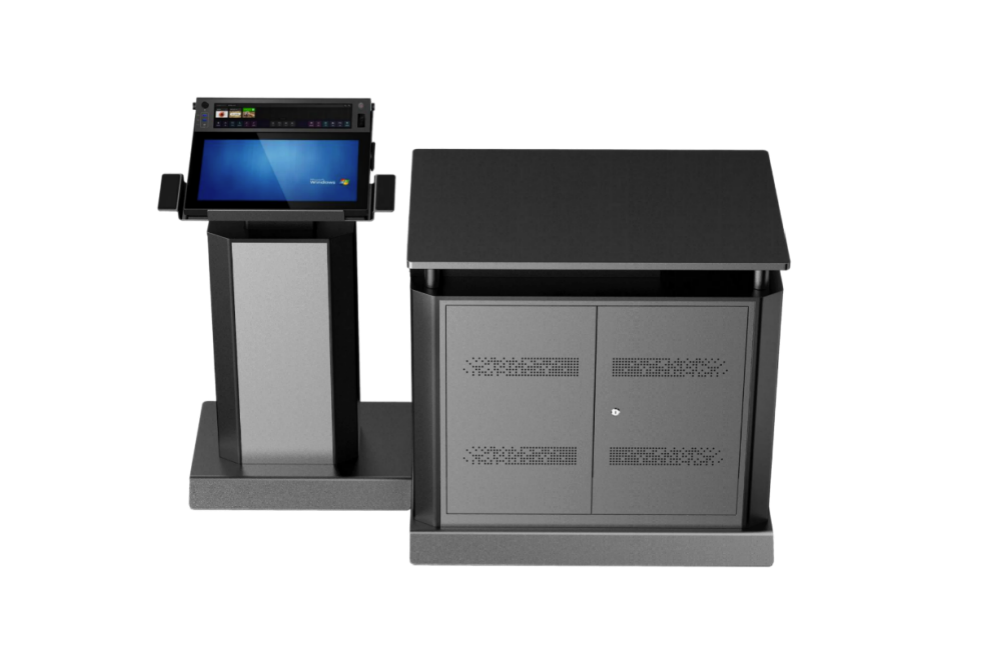
Smart Podium Overall Appearance (Main Podium + Auxiliary Stand)
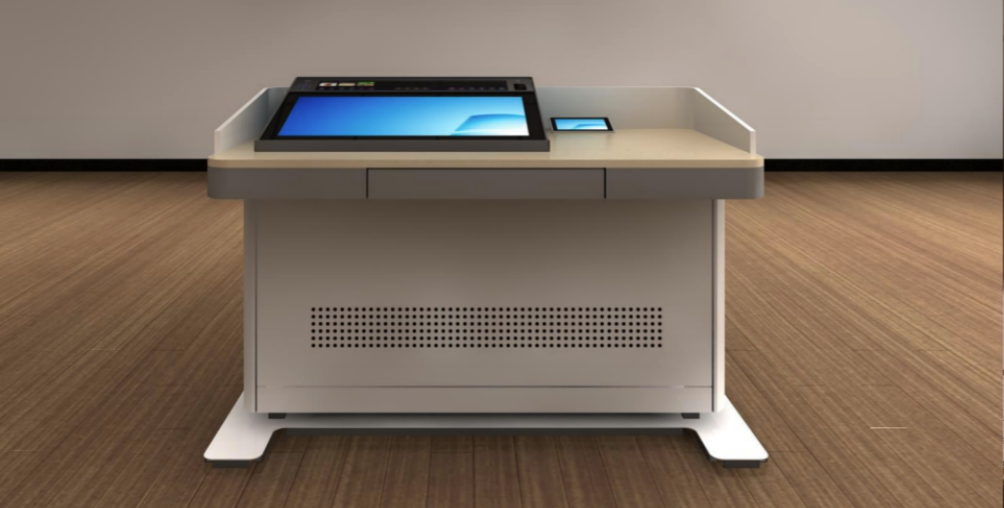
Smart Podium - All-in-One Design
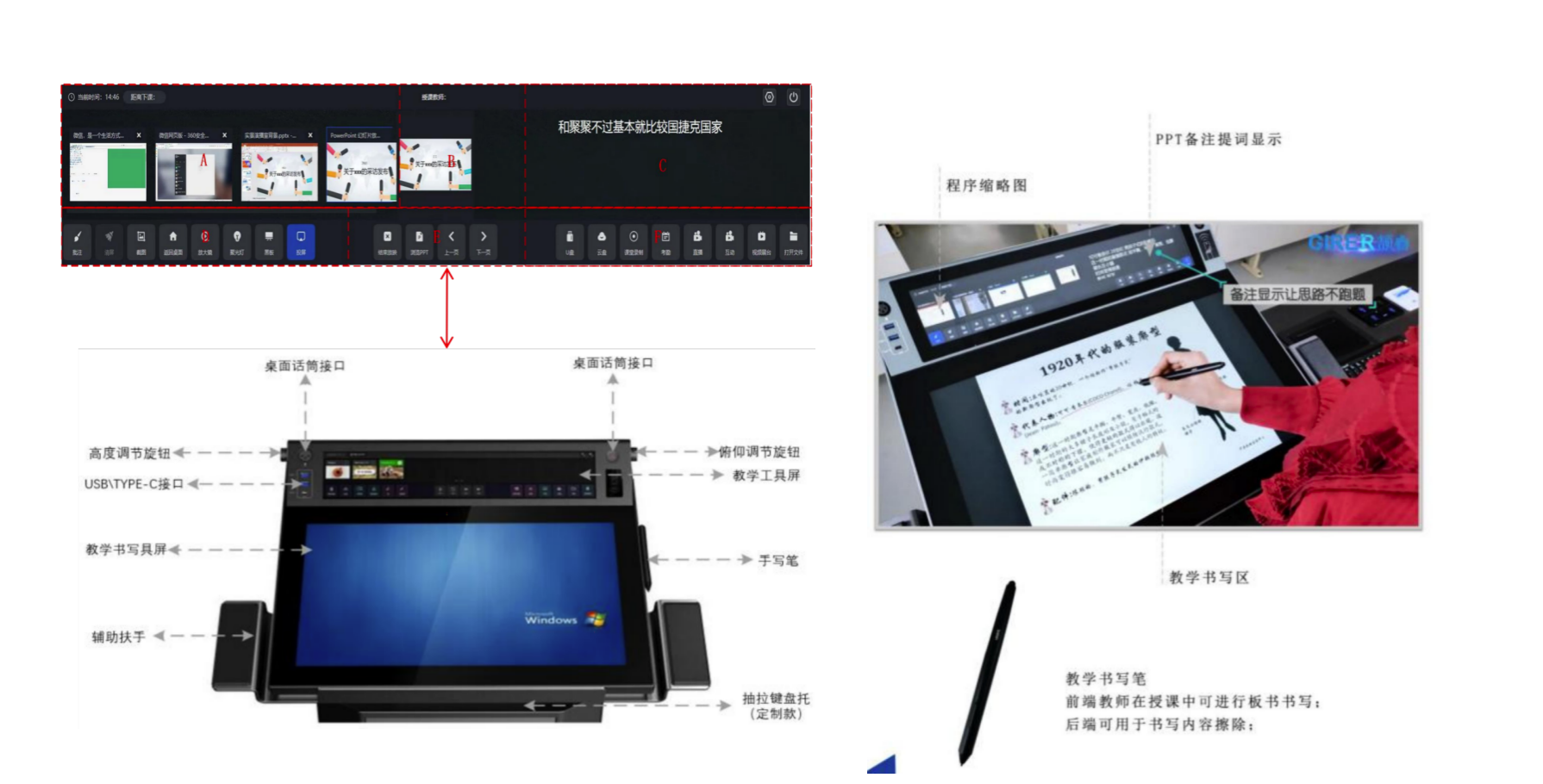
Auxiliary Screen Teaching Interaction Software: Program Thumbnails and Toolbar
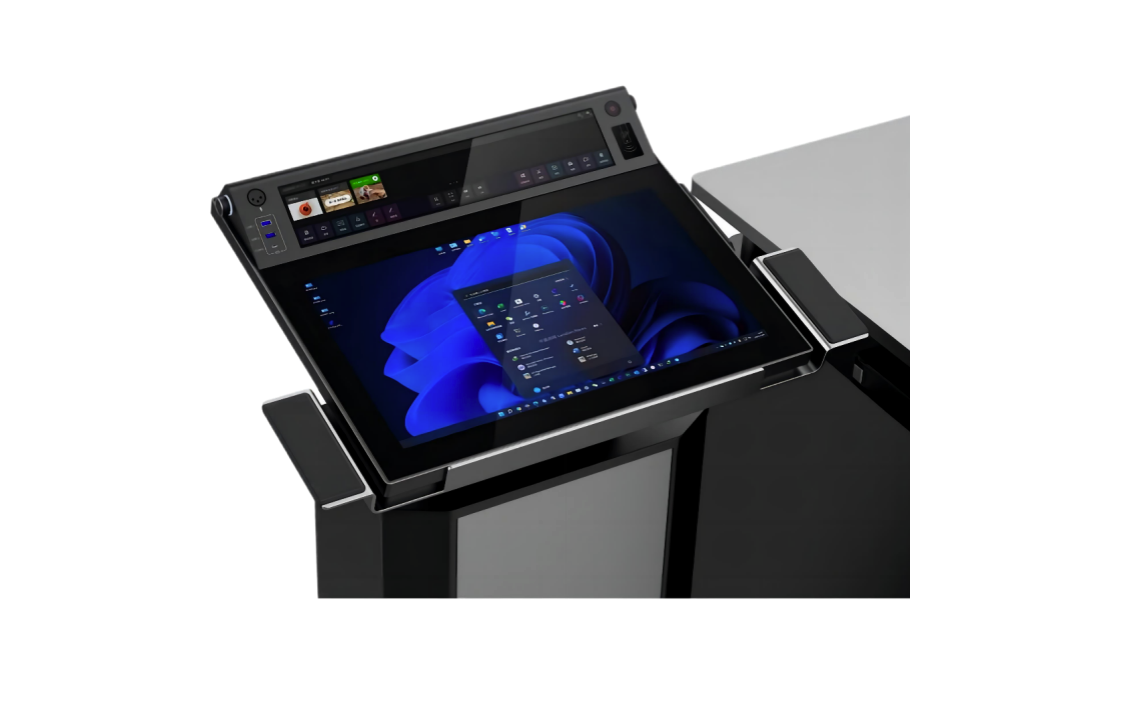
Teaching Whiteboard: Synchronized display of handwritten notes and PPT speaker notes
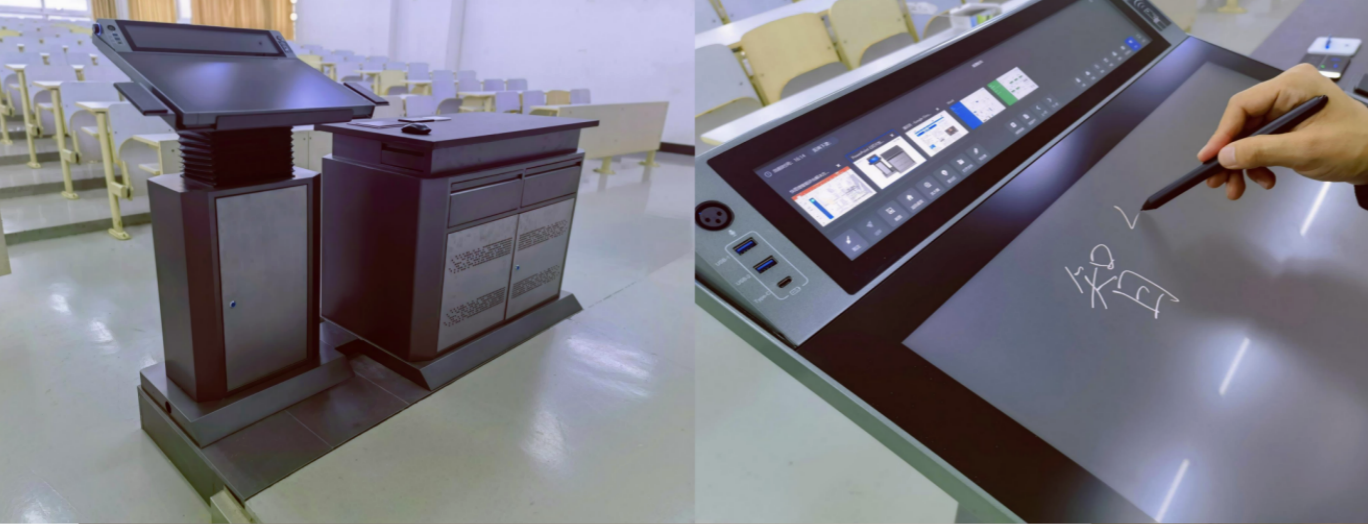
Smart Podium Product Photos
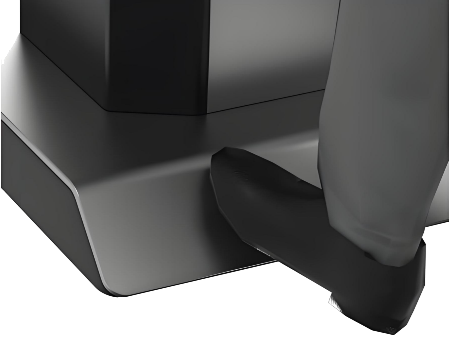
Sloped base reduces strain from prolonged standing
Solution Philosophy
Innovative screen casting replaces blackboards
Save and share dynamic content instantly—no more chalk dust or erasing.
Minimalist touch interaction
Run programs side by side with a single click to boost teaching efficiency.
One-click live streaming, remote access
Live streaming, interactive sessions, and video snapshots in one click—share high-quality courses across schools seamlessly.
Private Interface Data Security
A private desktop environment and data space for teachers, ensuring personal privacy even on shared devices.
Core Equipment
Enterprise-grade hardware with transparent, verifiable specifications
podium
The teacher's station features an adjustable-height core teaching zone to accommodate various heights and class sizes. An integrated tilt knob allows screen angle adjustment to minimize glare, while the TPR leatherette armrests and sloped base reduce fatigue during extended standing.
Auxiliary Console
Expanded work surface and device placement area. Large tabletop accommodates textbooks and teaching aids. Retractable keyboard tray for hidden storage. Rack-mounted equipment bay integrates host, amplifier, and control system with centralized cabling.
Auxiliary Screen Teaching Interaction Software
The brain of the smart podium: integrates the main screen, applications, and teaching tools into a single interface. Features include app thumbnails, toolbar, PPT speaker notes, real-time attendance data display, and one-click desktop restoration.
Teaching Toolbar & Stylus
Integrates common tools like annotations, recording, screenshots, roll call, magnifier, spotlight, whiteboard, and screen sharing. Supports pressure-sensitive stylus writing with layered organization for board notes and presentation materials.
Core Features
- Multi-screen collaboration: The main screen displays instructional content, while the secondary screen shows thumbnails and the toolbar—clear roles, no interference.
- Teaching Writing Area: Write and annotate directly on the main screen; content is erased from the backend, allowing teaching notes to coexist with presentation materials in separate layers.
- Classroom Management: One-click access to Groups, Cloud Connect, Recording, Attendance, Live Streaming, Interaction, and School Administration.
- Presentation Controls: End, Slide PPT, Previous/Next
- Ergonomic details: circular gradient ventilation holes, anti-glare adjustment knob, and sloped base with smooth weight distribution.
Shape Selection
- Modular: Separate podium and auxiliary stand in L or T configuration, ideal for large spaces and lecture halls.
- All-in-One: Integrates the main unit and auxiliary storage into a single podium to save space, ideal for standard K-12 classrooms.
- Premium recording classrooms feature an integrated design for a clean look and optimal on-camera appearance.
- For extensive equipment displays, choose the modular design: oversized countertop with rack-mounted equipment bay.
Use Cases
- Standard K-12 Classrooms: Daily Multimedia Instruction and Whiteboard Needs
- Smart Classroom for Higher Education: Multi-screen Collaboration Supports Lecture, Seminar, and Flipped Classroom Teaching Models
- Premium Recorded Classroom: One-Click Live Streaming and Recording to Build High-Quality Course Resources
- Remote Interactive Classroom: Bridging Schools and Regions via Live Streaming to Share High-Quality Educational Resources
Solution Advantages
One-click deployment
Essential component for smart classrooms; can be deployed independently in any multimedia classroom.
Dual-mode option
Choose between split or all-in-one units based on classroom space and lesson type.
Patent Design
Supported by dual design patents and dual national invention patents
Flexible integration
Seamlessly integrates with smart boards, broadcast recorders, wireless microphones, and more.
View other options
Get detailed configuration list for "Smart Podium"
Whether for a single recording classroom or a school-wide supervision platform, we provide configuration recommendations tailored to your academic workflow.